

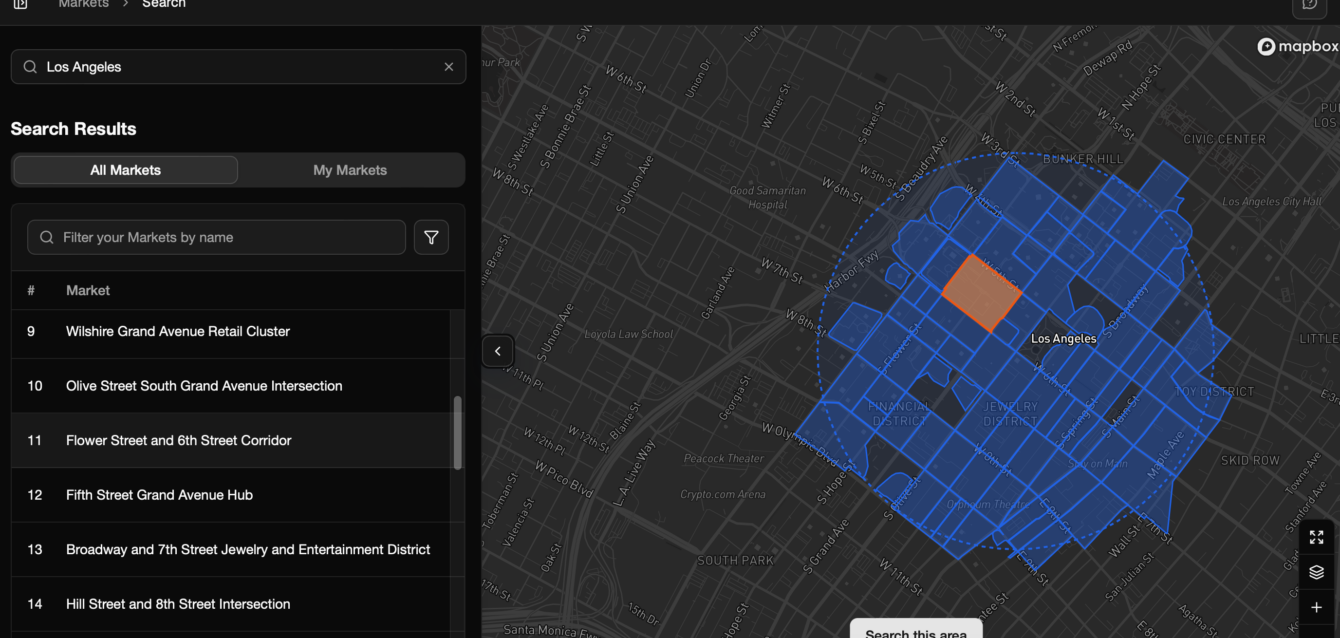
Foot traffic software represents a foundational technology for businesses operating physical locations, transforming raw data about people’s movement into strategic, actionable insights. In today’s competitive landscape, understanding who is entering your space, when they are doing it, and how they move once inside is no longer optional—it is a critical driver of profitability and operational efficiency. This guide explores the essential components, diverse applications, and profound benefits of foot traffic software, equipping you with the knowledge to select and leverage the right tools for maximizing performance in your physical environment.
What is foot traffic software?
Foot traffic software, often referred to as people counting software, retail analytics software, or sometimes simply “traffic counters,” is a technology solution designed to measure, analyze, and report on the movement of people within a defined physical space. Its primary purpose is to quantify the number of visitors entering and exiting a location, moving between different zones, or passing by a storefront.
This type of software utilizes various hardware sensors—such as overhead cameras (2D or 3D), infrared beams, Wi-Fi or Bluetooth sensors, and sometimes thermal imaging—to accurately detect and track individuals. The raw data collected by these sensors is then processed by the specialized software to generate actionable insights for businesses.
How to get foot traffic software
Businesses get foot traffic data from specialist providers. These providers offer technology of various methods to count and track the movement of people within a physical space, providing invaluable data that can inform critical business decisions.
Acquiring the right foot traffic software is a crucial step for businesses looking to gain deeper insights into customer behavior, optimize store layouts, and improve overall operational efficiency.
See our guide to foot traffic data providers to find the right software for your use case.
1. Define Your Needs and Goals
Before selecting any software, you must clearly define what you aim to achieve. Consider the following:
- Primary Objective: Are you focused on optimizing staffing levels, assessing marketing campaign effectiveness, improving conversion rates, or simply understanding peak hours?
- Accuracy Requirements: What level of counting accuracy is acceptable for your analysis? Different technologies offer varying levels of precision.
- Environment and Scale: Where will the sensors be deployed (e.g., a single storefront, a large shopping mall, or multiple global locations)? Consider factors like ceiling height, lighting conditions, and potential environmental obstructions.
- Budget: What is your allocated budget for hardware installation, software licenses, maintenance, and ongoing data storage?
2. Evaluate Software Features
The software platform is where the raw data is transformed into actionable intelligence. Key features to look for include:
- Reporting and Analytics: Robust dashboards, customizable reports, and the ability to segment data (e.g., by time of day, day of week, or location).
- Integration Capabilities: The ability to integrate with existing systems such as Point of Sale (POS), workforce management, and Customer Relationship Management (CRM) for conversion rate analysis and staffing optimization.
- Real-time Data: Access to live data feeds for immediate operational adjustments, such as opening new checkouts during unexpected peak traffic.
- Scalability: Ensure the software can easily accommodate additional sensors or new store locations as your business grows.
- Alerts and Notifications: Automated notifications for anomalies, such as sensor failure or traffic exceeding pre-set thresholds.
4. Selection and Implementation Process
- Request Demos and Trials: Test the software in your actual environment to assess its accuracy and usability.
- Verify Data Security and Compliance: Ensure the vendor adheres to all relevant privacy regulations (e.g., GDPR, CCPA) regarding the collection and storage of anonymous movement data.
- Check Customer Support and Training: Confirm the availability of reliable technical support and comprehensive training for your team.
- Hardware Installation: Coordinate the physical installation of counters or sensors, ensuring optimal placement for maximum accuracy.
- Data Validation and Calibration: After installation, run a parallel test period to validate the software’s counting accuracy against manual counts.
- Team Training: Train store managers and analysts on how to access, interpret, and use the data to drive operational improvements.
What is included in foot traffic software?
What is included in the foot traffic software does depend on the provider you chose and what features they have available. This is best discovered by getting a demo of the software for new users or logging on to your current platform and checking what is available on your tier.
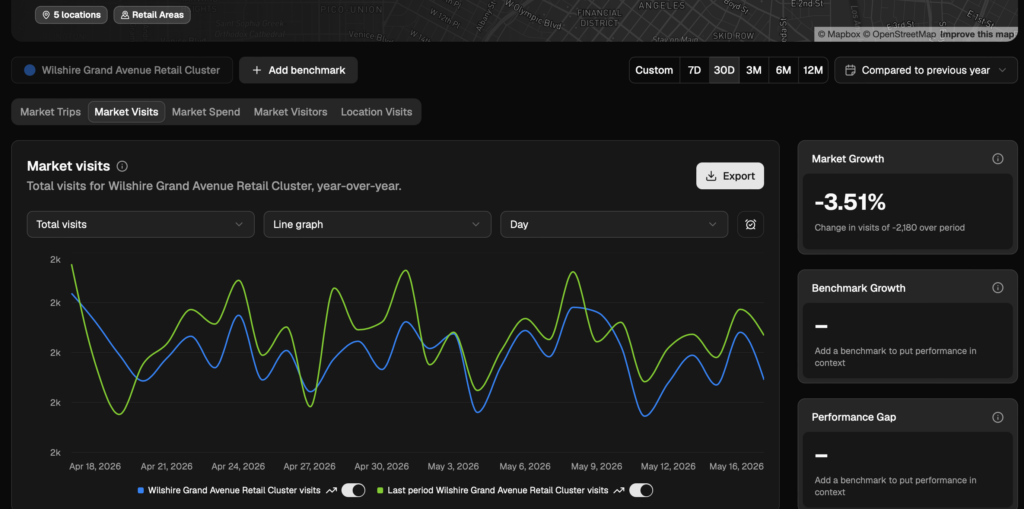
Typically, foot traffic software includes:
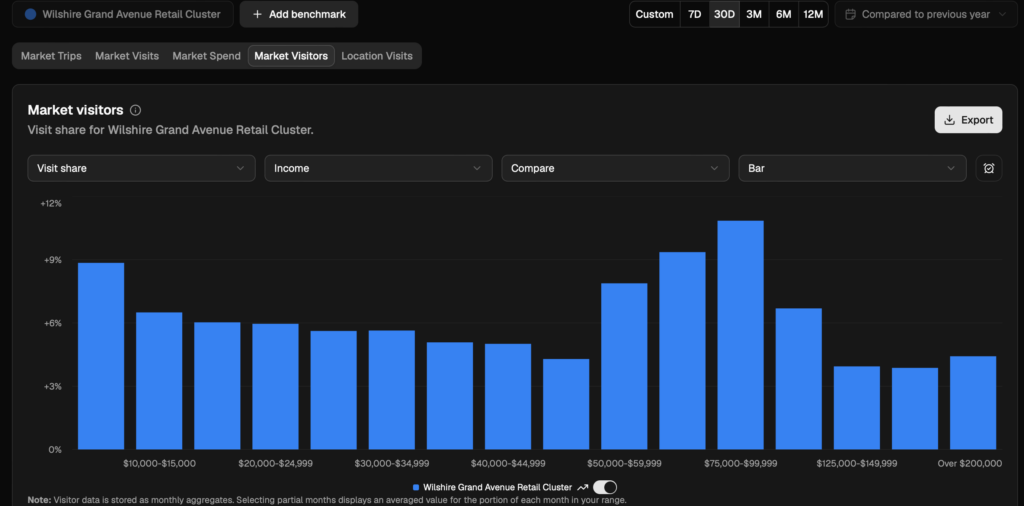
- Reporting and Analytics Dashboard: A user-friendly interface where the processed foot traffic data is visualized through charts, graphs, and heatmaps. This is where users gain insights like hourly traffic trends, conversion rates, and zone-specific dwell times.
- Spend Insights: Some foot traffic software may include spend data where customers make a purchase at retail locations to provide further information. This can be an optional feature, so check with a provider before you sign up.
- Optimization Tools and Reports: The software should include reporting tools to help businesses make decisions about site selection, analyze store performance, store openings and closures, operating times, etc.
- Integration Capabilities: The ability to connect with other business systems and API, such as ChatGPT and Co-Pilot and exporting tools to take data out of the platform into
Where does the data come from?
Providers typically measure foot traffic from a variety of sources, including:
- Data Collection Hardware: The physical sensors (e.g., door counters, in-store cameras) that capture movement data.
- Data Processing Engine: The core software that cleans, aggregates, and validates the raw data, filtering out anomalies and ensuring high accuracy.
Every provider will have different sources and so different levels of accuracy and depth. Check your provider’s data accuracy and compare with other providers to get a sense of what is suitable for your needs.
Key Applications and Benefits of Foot Traffic Software
Foot traffic software is a crucial tool for any business operating in a physical environment, especially retail, shopping malls, public venues, and museums. The insights derived from this technology help businesses make data-driven decisions in several critical areas:
- Retail Performance Measurement: By correlating foot traffic counts with sales data, businesses can calculate the Conversion Rate (the percentage of visitors who make a purchase). This is a vital metric for assessing store and staff effectiveness.
- Staff Optimization: Traffic data reveals peak hours and days, allowing managers to schedule adequate staffing levels to maximize service and minimize labor costs. This ensures that a sufficient number of employees are available when the demand is highest.
- Marketing and Window Display Effectiveness: Businesses can measure the “Capture Rate” or “Draw Rate” (the number of people who enter the store versus those who walk past). This helps evaluate the effectiveness of window displays, exterior signage, and promotional activities.
- Store Layout and Merchandising: Heatmap and zone-counting features identify high-traffic and low-traffic areas within a store. This information guides decisions on product placement, fixture arrangement, and promotional signage to optimize the customer journey and maximize exposure to key merchandise.
- Benchmarking: Businesses can compare performance between different store locations or against industry standards to identify best practices and underperforming sites.
- Security and Capacity Management: The software provides real-time occupancy monitoring, which is critical for compliance with safety regulations and capacity limits, especially in public venues or during events.
Uses of foot traffic software
Foot traffic software, often referred to as people counting or customer counter technology, provides businesses with invaluable data on the movement and volume of individuals within a physical space. This technology utilizes various methods, including sensors, cameras, Wi-Fi/Bluetooth tracking, and sometimes even integration with point-of-sale (POS) systems, to accurately measure and analyze pedestrian flow.
The applications of this software span multiple industries and offer significant strategic advantages for optimizing operations, enhancing customer experience, and driving profitability.
1. Optimizing Store Operations and Staffing
One of the most immediate and impactful uses of foot traffic software is in refining operational efficiency.
- Staffing Optimization: By analyzing peak and trough periods of customer flow, managers can accurately align staffing levels with demand. This ensures sufficient coverage during busy times to maintain service quality and prevents overstaffing during slower periods, leading to significant labor cost savings.
- Operational Scheduling: Data helps schedule critical activities, such as restocking, cleaning, and maintenance, during low-traffic hours to minimize disruption to the customer experience.
- Queue Management: Real-time foot traffic data can alert managers to potential queue buildup, allowing them to proactively open new registers or service points, thereby reducing wait times and improving customer satisfaction.
2. Enhancing Retail Layout and Merchandising
Foot traffic analytics provides deep insights into how customers interact with the physical retail environment.
- Zoning and Hotspot Identification: The software maps customer journeys, identifying “hot zones” (high-traffic, high-dwell areas) and “cold spots” (areas customers tend to avoid). Retailers can use this information to strategically place high-margin or promotional items in hot zones and rethink the layout or draw attention to cold spots.
- Conversion Rate Analysis: By comparing foot traffic (the total number of people entering the store) against POS data (the number of transactions), businesses can calculate the true conversion rate. Low conversion in high-traffic areas signals a failure in merchandising or sales approach, prompting necessary adjustments.
- Display Effectiveness: Analyzing dwell time around specific displays or product sections allows retailers to gauge the effectiveness of their visual merchandising and promotional efforts.
3. Measuring Marketing and Promotional Effectiveness
Foot traffic data acts as a powerful metric for quantifying the success of external campaigns and internal promotions.
- Assessing Marketing ROI: When a marketing campaign (e.g., local radio ads, flyers, or window displays) is run, foot traffic data can show the direct correlation between the campaign period and the increase in store visitors. This provides a quantifiable return on investment (ROI) metric for marketing spend.
- Window Display Performance: Sensors placed near storefronts can measure the “capture rate”—the percentage of passersby who stop and enter the store. This allows for A/B testing and optimization of window displays and signage.
- Event and Holiday Impact: Businesses can accurately measure the uplift in visitation driven by seasonal holidays, in-store events, or special sales, helping them to better prepare and budget for future similar occasions.
4. Strategic Location Planning and Real Estate
For chains and expanding businesses, foot traffic software is a critical tool in strategic planning.
- Site Selection: Before committing to a new lease, businesses can use external foot traffic data (often collected by specialized services) to assess the viability and potential performance of prospective locations based on daily visitor flow and demographics.
- Benchmarking Performance: Multi-location businesses can use the software to compare the performance of different stores on a traffic-adjusted basis, identifying best practices in high-performing stores and areas for improvement in underperforming ones.
5. Safety, Security, and Facility Management
Beyond pure retail applications, the technology offers benefits for facility management and safety.
- Occupancy Monitoring: Crucial for safety regulations, especially in venues, museums, or public buildings, the software can provide real-time occupancy counts to ensure limits are not exceeded, particularly relevant for fire safety and post-pandemic capacity management.
- Resource Allocation for Facilities: In large facilities like airports or shopping centers, traffic data can inform the maintenance schedule for restrooms and public areas, prioritizing cleaning and upkeep in the most heavily used locations.
Conclusion: Where to Find Foot Traffic Software
The journey to understanding and leveraging customer foot traffic is central to modern retail strategy, urban planning, and business development. After exploring the multifaceted benefits and various methodologies of foot traffic analysis, the crucial final step is identifying the right tools to execute this analysis. This market has matured rapidly, offering sophisticated software solutions that range from simple counter applications to complex, AI-driven platforms that integrate multiple data streams.
When searching for foot traffic software, businesses must consider several key factors to ensure the solution aligns with their specific needs and goals. See our comparison of foot traffic providers to find your right fit.